

Quick Summary
Virtual entertainment for corporate events means live, interactive formats such as hosted games, small-group puzzles, and kit-based workshops that give remote and hybrid teams a shared, non-work experience. Choose the format by group size and goal, then match the activity to your budget and time zones.
- Pick the format first, then match the activity to your group size and goals.
- Hosted games suit groups of 20 or more, where a facilitator can manage turn-taking.
- Keep small-group rounds under 15 minutes and assign roles so everyone speaks.
- Change the pace every 10 to 15 minutes to hold attention during a long event.
- Collect dietary needs and shipping addresses early for kit-based events.
Table of Contents
- Why Virtual Entertainment Works for Remote and Hybrid Teams
- Virtual Corporate Event Ideas by Format
- Virtual Team Building Activities for Small Groups
- Virtual Team Events With Kits and Shipped Materials
- Virtual Team Building Games That Keep Attention
- How to Choose a Virtual Entertainment Format and Plan the Budget
- Booking Your Next Virtual Event With Dusty Satterlee
- Frequently Asked Questions
Why Virtual Entertainment Works for Remote and Hybrid Teams
Remote and hybrid teams often go weeks without a casual conversation. A well-run virtual event gives people a shared experience that is not about work, which is most of what team connection requires. The challenge is that video fatigue is real, and passive viewing loses people fast. Formats that ask for participation, laughter, or a quick decision hold attention better than a lecture on a screen.
Hybrid events add another layer. Some staff are in the office, some are at home, and some are in different time zones. Planning for that mix from the start matters more than any single activity.
Virtual Corporate Event Ideas by Format
Choose the format first, then match the activity to your group size and goals. Each format below suits a different kind of gathering.
Hosted Games and Virtual Game Shows
Hosted games are a common option for corporate audiences. A live host runs trivia, quick-answer rounds, or themed challenges, and participants compete in small teams or individually.
Hosted formats suit groups of 20 or more, where a facilitator can manage turn-taking and keep energy high. Ask any host about their experience with mixed audiences so questions and humor stay appropriate for a workplace.
Live-Hosted Workshops and Cooking Classes
Plan for shipping or purchasing ingredients in advance, and confirm that dietary needs and allergies are collected before the event.
Virtual Team Building Activities for Small Groups
Small groups of five to fifteen people need a different approach. Large-format game shows can feel impersonal when only a few people are on screen. Smaller teams do better with activities that invite conversation.

Collaborative puzzles and short hosted icebreakers can work well here. For a comparison of interactive entertainment that suits corporate retreats, see the best interactive entertainment for corporate retreats. Keep each round under 15 minutes so no one drifts off. Assign roles, such as a timekeeper or a note-taker, so every person has a reason to speak.
A common mistake is making a small-group activity too big. Eight people in one breakout room is manageable. Thirty people in one room often produces silence.
Virtual Team Events With Kits and Shipped Materials
Shipping adds logistics. Collect accurate mailing addresses early, allow time for delivery, and confirm local rules for shipping food or alcohol. Include a small buffer in your budget for replacements and for anyone who cannot receive items.
Virtual Team Building Games That Keep Attention
Attention on a video call decays faster than in a room. The fix is not a better game, it is better facilitation. The host’s job is to manage energy, turn-taking, and pacing so the game itself stays simple.
A sample 45-minute run-of-show
A hosted game or trivia event can follow a structure such as this one for 20 to 60 participants:
- 0-5 min: Welcome, housekeeping, and a quick poll to warm up the chat.
- 5-10 min: Team assignments and a 60-second icebreaker round.
- 10-30 min: Three game rounds of 6-7 minutes each, with a leaderboard update between rounds.
- 30-40 min: Final round with a visible scoreboard and a short debrief.
- 40-45 min: Wrap-up, winner acknowledgment, and a one-question feedback poll.
Change the pace every 10 to 15 minutes: switch from individual answers to team huddles, from chat to spoken answers, from competitive to collaborative. A 60-minute game with no change of pace will lose half the room by the halfway mark.
Group-size adaptations
- 5-15 people: Run one room. Use collaborative puzzles where every person has a role (timekeeper, note-taker, presenter). Keep rounds under 10 minutes.
- 15-40 people: Split into breakout teams of 4-6. The host rotates between rooms and posts a shared scoreboard. Assign a captain in each room so no one waits for the host.
- 40+ people: Use a game-show format with a visible leaderboard and a co-host or moderator to manage chat. Assume 20-30 percent will lurk; design a low-effort entry point such as a poll or one-word chat answer.
Facilitation mechanics that keep quiet participants in
- Give every person a job. Roles such as timekeeper, scribe, or team spokesperson create a reason to speak.
- Use chat and polls as first-class participation. Count a thoughtful chat answer the same as a spoken one.
- Call on teams, not individuals. Asking ‘Team 3, what did you get?’ is less intimidating than naming a person.
- Build in a clear winner or outcome. Ambiguous endings deflate energy; announce results and thank participants explicitly.
Accessibility and inclusion in game design
Avoid games that depend on one or two confident voices, fast reading, or audio-only cues. Provide written instructions in advance, enable live captions, and offer an off-camera path to participate. For teams spanning multiple time zones, record a short async version or rotate start times across events. Confirm dietary and cultural needs for any food- or drink-based game at registration.
Watch out: the most common failure is a long game with no breaks and no assigned roles, the confident few dominate, and everyone else disengages by the halfway mark.
How to Choose a Virtual Entertainment Format and Plan the Budget
Most planners start with the activity and then discover the budget does not fit. Work in the opposite order: set the constraints first, then pick the format that survives them. Headcount, goal, budget per participant, and the real time window once you account for time zones shape most planning decisions.
A five-question selection framework
- How many people, and how many will actually participate? A 200-person all-hands and a 12-person team offsite need different formats. For large groups, assume 20 to 30 percent will lurk unless the host actively pulls them in.
- What is the goal? Energize (game show, trivia), connect (small-group puzzles, breakout conversations), learn (workshop), or celebrate (cooking class, kit-based event). Pick one primary goal; events that try to do all four feel scattered.
- What is the budget per participant? This is the number that actually determines what you can book. See the ranges below.
- What is the true duration? A 60-minute event is really 45 minutes of content plus 10 minutes of tech check and 5 minutes of buffer. Do not book a 60-minute show into a 45-minute slot.
- Who is in which time zone, and who is on camera? A format that requires on-camera participation will underperform for a team spanning more than three time zones or for participants who are uncomfortable being visible.
Realistic budget ranges
| Format | Typical per-participant cost | Typical total for 50 people | What drives the price |
|---|---|---|---|
| Hosted trivia or game show | $15-$40 | $750-$2,000 | Host fee, custom question writing, group size |
| Live-hosted workshop (no kit) | $20-$50 | $1,000-$2,500 | Instructor fee, session length, materials list |
| Cooking class with shipped ingredients | $60-$120 | $3,000-$6,000 | Food cost, cold shipping, dietary substitutions |
| Craft or cocktail kit event | $50-$100 | $2,500-$5,000 | Kit cost, shipping, alcohol licensing where applicable |
| Escape-room-style collaborative game | $20-$45 | $1,000-$2,250 | Platform license, host, custom puzzle design |
Ask every vendor for a line-item quote that separates host fee, materials, shipping, and platform costs so you can compare total cost per participant rather than headline price.
Accessibility, inclusion, and time-zone planning
A format that works for a 25-year-old in one time zone may fail for a colleague with a hearing impairment, a caregiver schedule, or a language difference. Build these in from the start:
- Captions and transcripts. Ask whether the platform supports live captions and whether the host can enable them. Most major video platforms do; confirm before booking.
- Visual and auditory access. Avoid games that depend solely on audio cues or fast-reading text. Provide written instructions in advance.
- On-camera comfort. Offer an off-camera participation path, chat answers, poll votes, or a designated team captain who speaks for the group.
- Time zones. For teams spanning more than three zones, rotate event times across the year or record a short async version. A 4 p.m. Eastern start is 1 p.m. Pacific and 9 p.m. in Western Europe, one of those groups will be at a disadvantage.
- Dietary and cultural needs. For food-based events, collect restrictions at registration and confirm the vendor can accommodate them without an upcharge.
Technical requirements and contingency planning
Confirm platform compatibility before you sign: which video platform the host uses, and whether your organization allows it. Check bandwidth expectations for participants, whether the host provides a backup co-host, and what happens if the primary host loses connection. Ask for a written backup plan and a 15-minute tech rehearsal with your team before the event day. For kit-based events, confirm the cutoff date for shipping addresses and build a two-day buffer.
Measuring outcomes
Entertainment is hard to justify without a simple measurement plan. Track four numbers: attendance rate (invited vs. joined), participation rate (people who spoke, answered a poll, or submitted in chat), a one-question post-event satisfaction score, and a 30-day follow-up on whether attendees reported stronger connection to the team. None of these require a survey vendor; a shared form and a calendar reminder are enough.
Booking Your Next Virtual Event With Dusty Satterlee
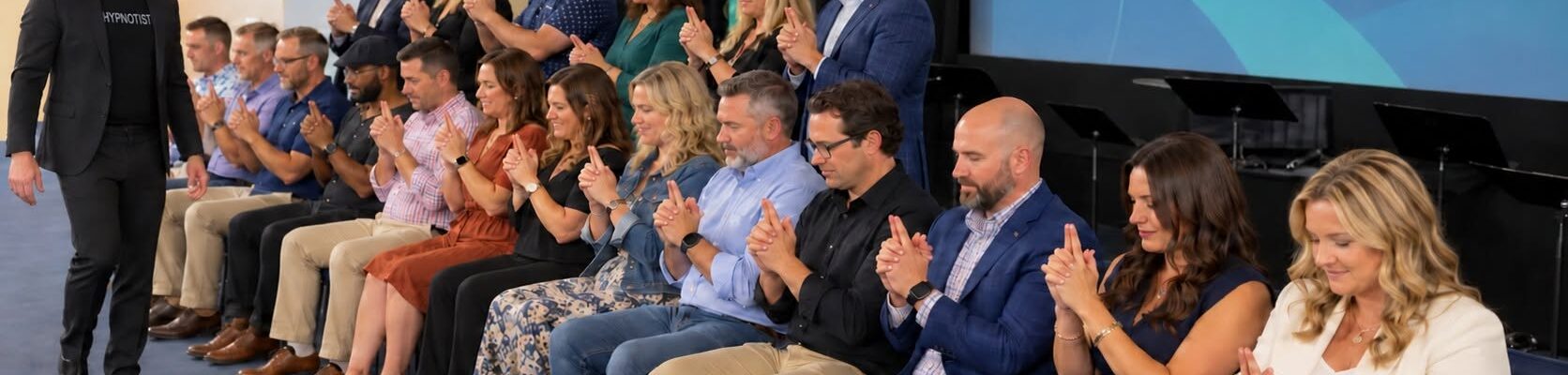
Dusty Satterlee brings a background in stage hypnosis and mentalism to events, with more than 15 years of experience. The performance style is tasteful and elegant. Dusty trained under veteran international stage hypnotist Michael C. Anthony, is a member of Stage Hypnosis University, and trained at the Mike Mandell Hypnosis Academy.
One school administrator who booked a post-prom event described the experience this way: “They did an amazing job!! He was prompt and all of our students and volunteers at Edinburg High School’s Post Prom really enjoyed him and his helper!!”
Before booking, ask how the show handles interactivity and whether it can be adjusted for your audience. Ask about backup plans if a performer is unavailable, and review the cancellation terms in the written agreement.
When you are ready to plan, you can book a show with Dusty Satterlee and check availability for your date. If your event is corporate in scope, see the corporate services Dusty Satterlee offers to understand what is covered. For a closer look at the entertainment style, watch Dusty Satterlee’s performance videos before you decide.
Frequently Asked Questions
What are some fun virtual activities for corporate employees?
Options to consider include live-hosted trivia or game shows and interactive hypnosis-style shows that keep audience participation voluntary and tasteful. Choose activities that fit your team size and time zones, and ask any provider how they adjust pacing for a video audience. Pricing depends on quantity, dates and format, so visit the Dusty Satterlee website for current prices or a quote.
How long should a virtual corporate event last?
Most virtual corporate entertainment runs between 45 and 90 minutes. Shorter sessions suit lunch breaks or hybrid check-ins, while longer formats work for celebrations or retreats. Build in a brief opening, a clear participation segment, and a closing wrap-up. Attention drops quickly on video, so avoid long passive stretches and plan breaks for employees who may be juggling other work.
How do you keep employees engaged during a virtual event?
Ask people to participate early with a low-stakes prompt, use polls or chat responses, and rotate speakers or activities often. Keep cameras optional for those who prefer it, and make sure participation is never forced. A facilitator who reads the chat and calls on people by name tends to keep energy higher than a passive presentation. Following up with a short recap or photo album helps the experience stick.
What is the best virtual event platform for corporate entertainment?
The right platform depends on your group size, need for breakout rooms, and whether you want polls, chat and screen sharing built in. Many teams use a standard video conferencing tool with breakout rooms for small-group activities and a separate tool for shipped kits or digital games. Confirm technical requirements with your entertainment provider before the event and test the setup with a short rehearsal.
